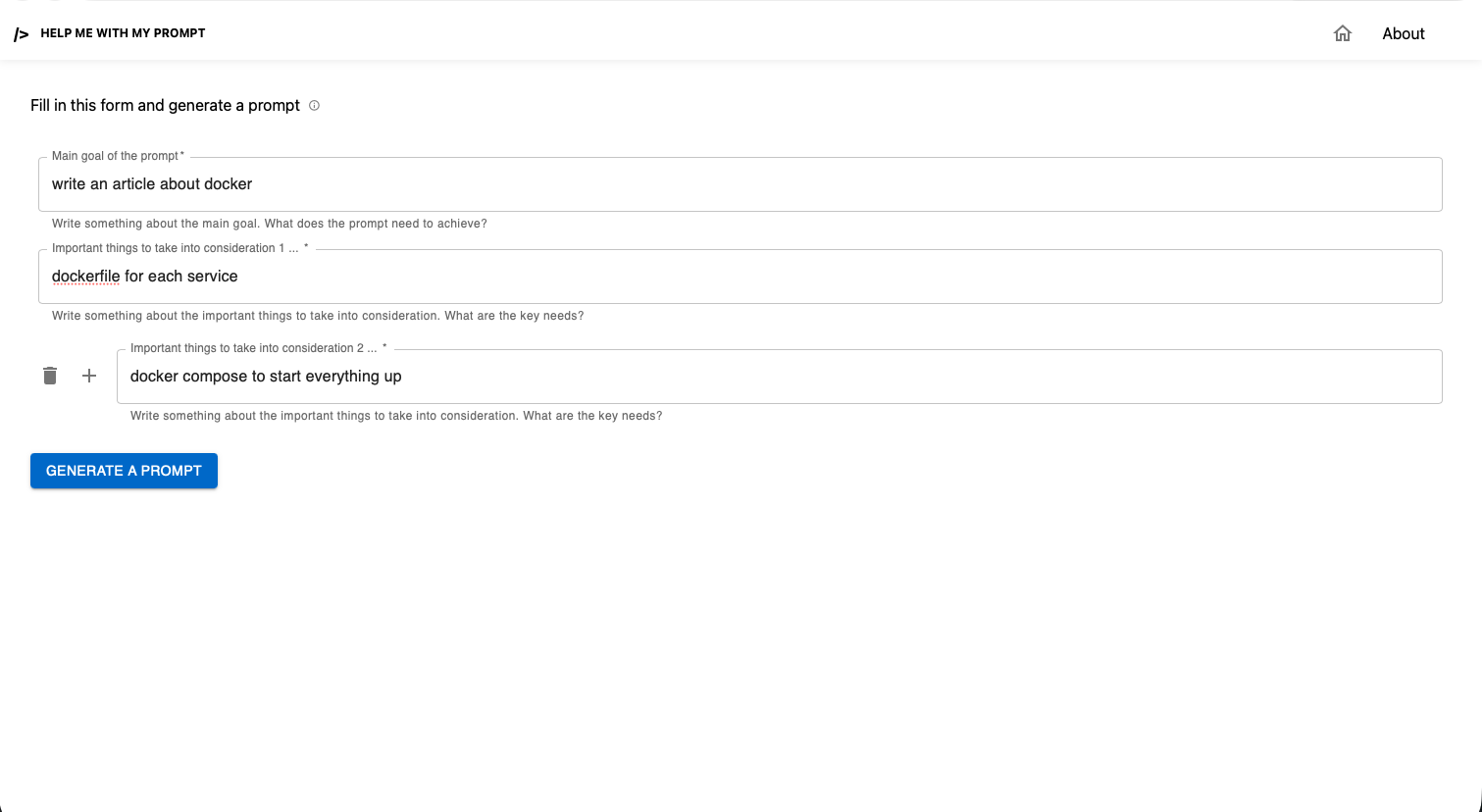
What is this project about?
First, you might ask, what is AMLD Africa?
In a nutshell, AMLD Africa is a non profit organization that organizes conference events in Africa. We invite different speakers to talk about their work related to AI and Technology.
Now you might ask what is the process of selecting speakers? How do we chose them? how do we confirm them? How long does it take?
The Process
Note that we used notion notion database for all data collection tasks. Also note that the AMLD Africa team is modular, meaning that we have different departments (Content, Partnerships, Logistics, Communication and Startups). In this Article, we will be focusing on the Content and Logistics Teams.
First step: Collect a list of reviewers
Who are reviewers and what is their role?
Reviewers are usually Phd students from different universities, whom we reward for their time reviewing speaker applications. Their role is to study and review the speaker applications (usually their Phd Work) and facilitate therefore the selection of speakers.
How do we select reviewers?
We first sent a "Call for Reviewers" email explaining the role of reviewers. Along with the email we added an application form, with different questions such as "Research Field", "Why do you want to be an AMLD Africa reviewer?" etc.
The note (NoteForms) is connected to a notion database, which is automatically filled. The Content Team then reviews the applications and sets the Tag "accepted or not accepted in each reviewer's row.
insert anonymised screenshot here
Second step: Collect a list of speaker applications
Again, we first sent Bulk Emails "Call For Speakers" and we promoted LinkedIn posts. After a while, we received 75 applications from professors, Phd Students, Startup CEOs etc.. The list is long.
Third Step: Assign Reviewers to Speaker Application
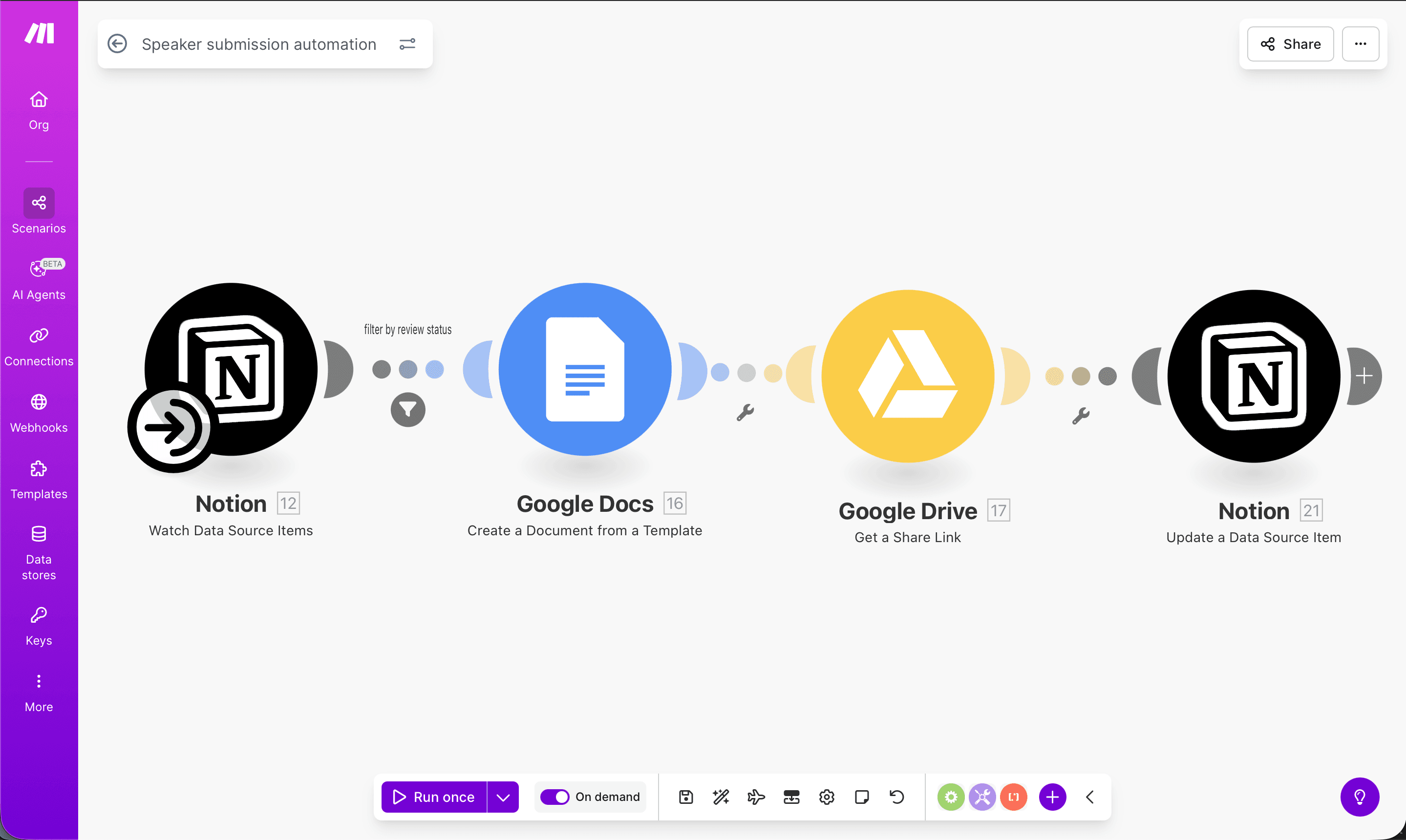
After the Content Team manually assigns reviewers to speakers, then come the automations in play. Below is a screenshot of each automation followed by the explanation.
- Anonymise Speaker Submission checklist
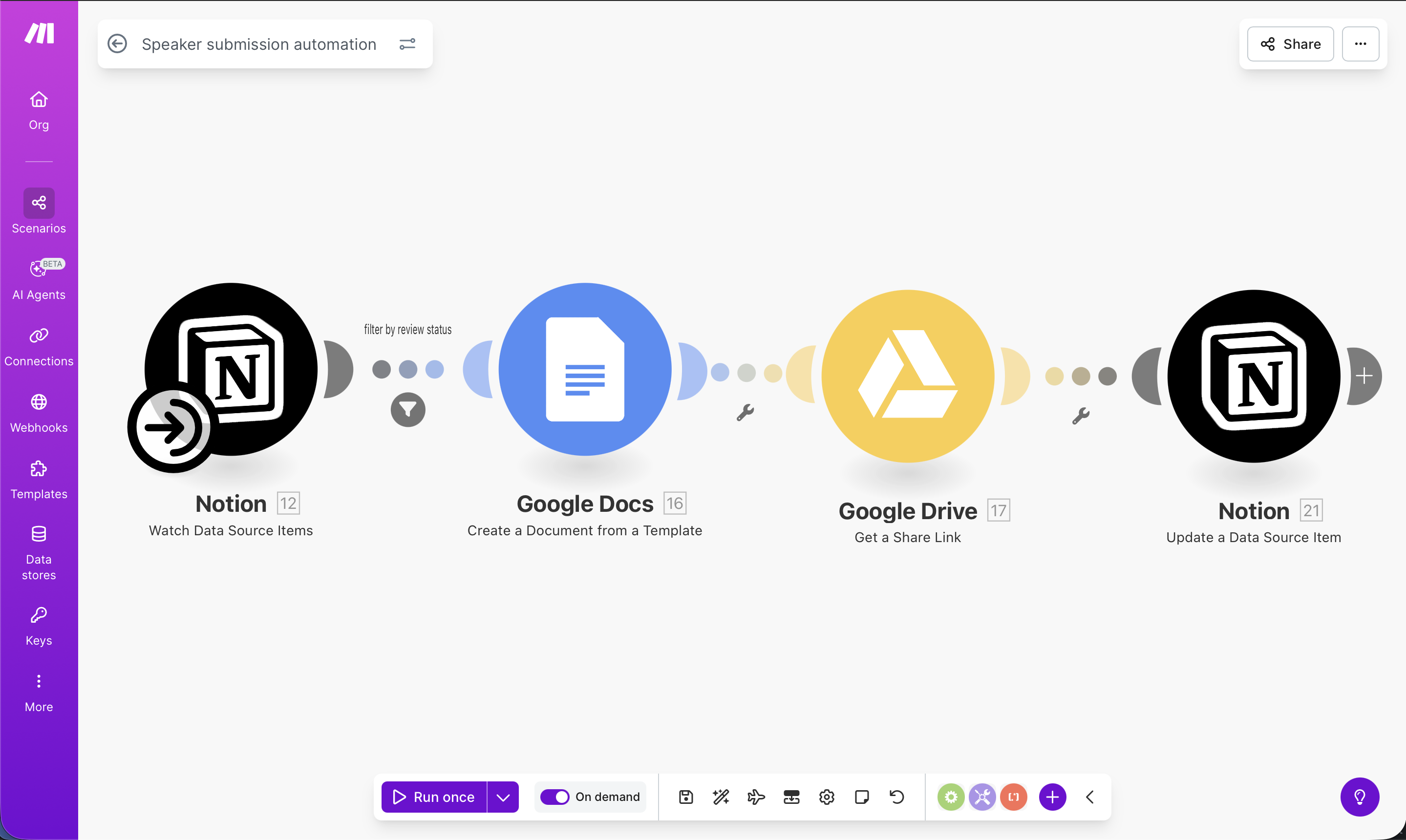
This make automation pulls a data base from notion that includes speaker applications and the assigned reviewer. Each application has to be anonymised before being sent to the reviewer, to avoid biases. How do you Anonymise an application, you might ask? As you can see on the screenshot above, a google docs Document is created with:
- Presentation Title
- Proposal type (Panel, talk, poster ..)
- Presentatin Summary
- Presentatin Details
- File (anonymised application file - all personal information removed from the main presentation file)
The generated file is then saved in google drive, and the link to it is added to the speakers application Database.
- Send reviewers anonymised files
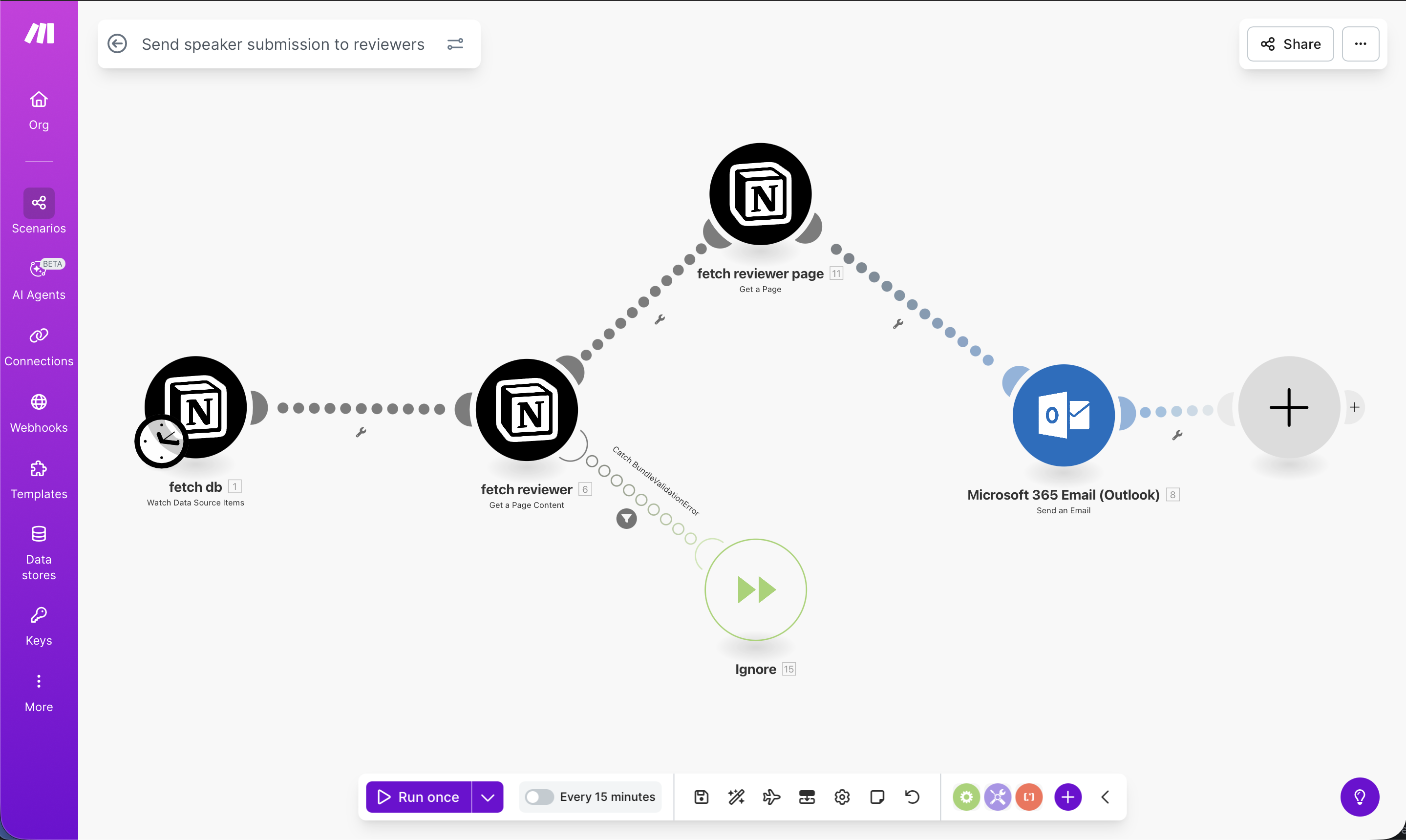
The first node in this second automation pulls the speaker applications database, the second node pulls the reviewer for each one of the speakers and the third node pulls the email and name of the reviewer. Now is the time to send a personalized email for each reviewer with the anonymised google doc file Link. As we have microsoft Office 365 accounts, the last node is the Microsoft Outlook node. We feed it the name and the email of the reviewers and we put the email in form of HTML.